 Home
Home

Configuration Options :: Cage Options
The "cage" is the part that actually holds a device. These settings customize the cage(s) generated by CageMaker PRCG.
cage horizontal offset
This setting "scoots" the cage proper to one side of the faceplate. A ZERO value places the cage at the dead center horizontally, positive values move it toward the right side, and negative to the left.

CageMaker PRCG enforces clearance reservations for mounting, which for EIA-310 compliant racks is a 5/8" or 15.875mm mount space on either side of the faceplate. Moving a cage too far to one side so that it enters this zone will trigger a "sanity check" that will display a warning message.

Shifting a cage to one side can open up free space for modifications such as adding Keystone receptacles or case fans.
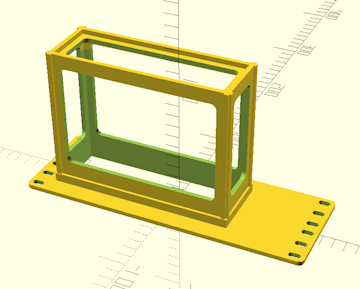
cage vertical offset
This setting "scoots" the cage proper to the top or bottom edge of the faceplate. A ZERO value places the cage at the dead center vertically, positive values move it toward the bottom edge, and negative to the top. Similar to its horizontal counterpart, but in the vertical axis.
CageMaker PRCG enforces clearance reservations for mounting, which for EIA-310 compliant racks is a 5/8" or 15.875mm mount space on either side of the faceplate. Moving a cage too far to one side so that it enters this zone will trigger a "sanity check" that will display a warning message.
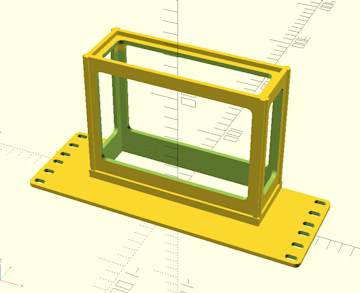
extra support
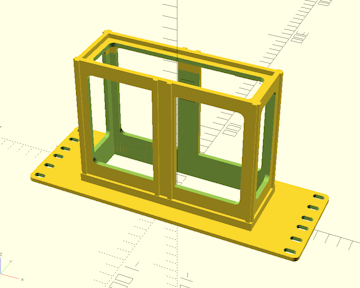
This setting enables the addition of an extra set of support ribs on the top and bottom of the cage, reinforcing it for heavier devices or devices that might cause cantilevering issues due to excessive depth relative to its other dimensions.
The size of the reinforcing ribs is determined by the manual support cage base size setting. For heavier devices, it may be advisable to increase this setting.
 Back To Top
 Navigate Site
 Source Code
 Support This Project
 Community
 Legal Notices & Information
 Copyright/Trademarks