 Home
Home

Configuration Options :: Faceplate Ventilation Options
Starting with version 0.50, the faceplates of cages can optionally be ventilated. These settings also apply for cageless faceplates created by setting the faceplate only option to a fixed height.

The cages themselves also support ventilation grids on their top, bottom, and/or sides, and these are adjustable independently using basically the same sorts of controls as shown here.
faceplate vent hole pattern
This setting replaces the bulk of the faceplate with a ventilation grid of the selected pattern. The cage and any faceplate modifications will replace or remove portions of this grid as required.

Faceplate ventilation grids are always framed with solid material around any openings in the faceplate, such as faceplate modifications.

faceplate vent hole based grid full holes only
By default, CageMaker PRCG will generate ventilation grids that fill the interior area of the faceplate. Enabling this setting causes CageMaker PRCG to only generate full holes and not cutting them off along the edges.

This option only affects ventilation grids that are "hole based," meaning that they are generated by punching holes in a solid surface. Some ventilation grids CageMaker PRCG can generate are "line based," meaning that they are created by generating bars of material spanning the grid area as compared to punching holes into it. CageMaker PRCG marks its grid options as either hole-based or line-based in the faceplate vent hole pattern setting.
This option is disabled when the faceplate vent grid angle is non-zero.
This option only affects the outer perimeter of the ventilation grid, and is best used with faceplates that do not also have a cage. If there is a cage, partial holes along its permiter will still be generated.
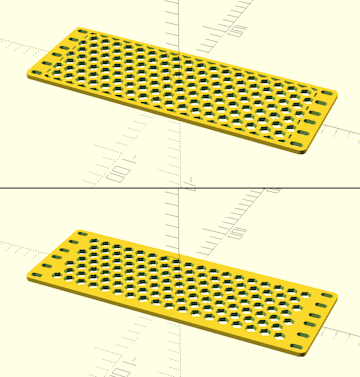
faceplate vent position
This setting replaces determines how much of the faceplate will be replaced with a ventilation grid. When set to anything other than the full faceplate, the grid will only appear in the selected regions relative to the cage proper and will be solid faceplate without any ventilation everywhere else, which may be useful for retaining structural integrity and weight capacity while also allowing more localized ventilation.
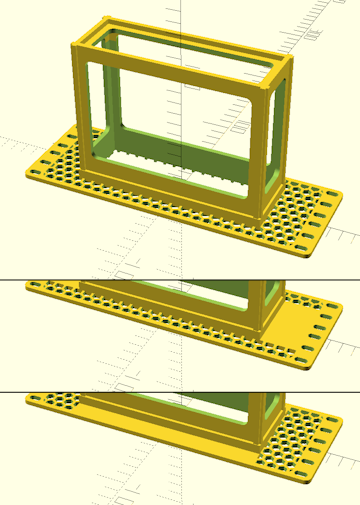
faceplate vent hole size
This setting sets the size of the holes of the ventilation grid. Although the measurement is in mm, what precisely is measured will vary by the grid pattern, so while this will be the actual hole diameter for hole grids, it will be the major width across openings for hexagonal grids, triangle height for triangle grinds, and so on.
The sample picture at right shows a ventilated cage side panel - enabling ventilation for other cage sides and the faceplate will have similar results.
This setting affects different ventilation grid types in different ways - experiment with it to find usable results.
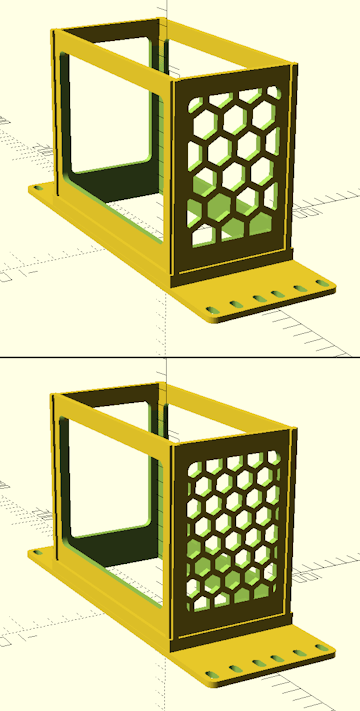
faceplate vent wall thickness
This setting sets the size of the solid portions between the holes of the ventilation grid. Higher values provide thicker walls but reduce the effective open area of the grid.
The sample picture at right shows a ventilated cage side panel - enabling ventilation for other cage sides and the faceplate will have similar results.
This setting affects different ventilation grid types in different ways - experiment with it to find usable results.
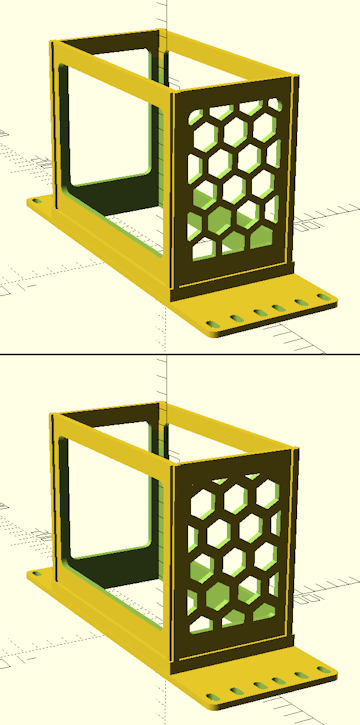
faceplate vent grid horizontal offset
cage sides vent grid vertical offset
These settings change the offset of the ventilation grid in each axis. By default, ventilation grids are centered on the cage wall, and these shift that center point.
The sample picture at right shows a ventilated cage side panel - enabling ventilation for other cage sides and the faceplate will have similar results.
This setting is generally cosmetic, as it does not generally have any significant effect on ventilation or structural integrity.
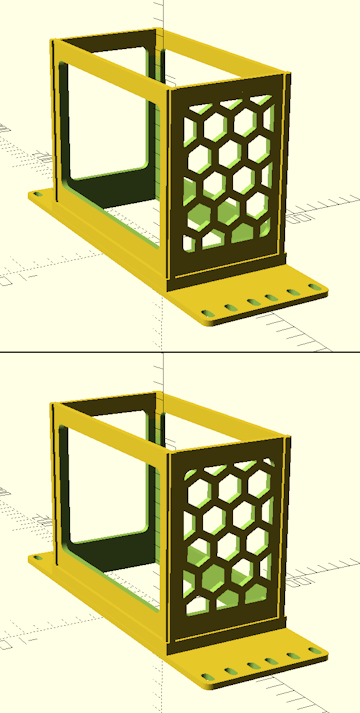
faceplate vent grid angle
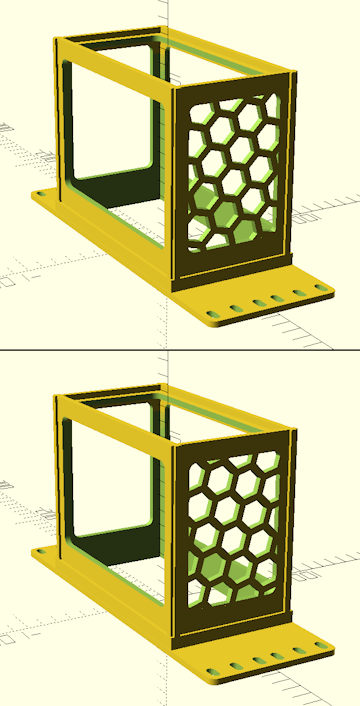
This setting changes the angle of the ventilation grid.
The sample picture at right shows a ventilated cage side panel - enabling ventilation for other cage sides and the faceplate will have similar results.
This setting is generally cosmetic, as it does not generally have any significant effect on ventilation or structural integrity.
 Back To Top
 Navigate Site
 Source Code
 Support This Project
 Community
 Legal Notices & Information
 Copyright/Trademarks