 Home
Home

Configuration Options :: Rulers & Guides
CageMaker PRCG provides rulers and guides for easier design.
show ruler
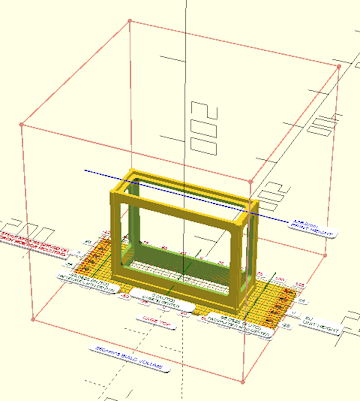
This setting will enable or disable the display of a measured ruler (graduated in millimeters) that will help in determining offsets for the cage proper, which by default is both vertically and horizontally centered within the rack space but can be moved to either side without changing its internal dimensions. This ruler is only visible when previewing the rack cage - it is automatically removed when viewing a split cage or rendering the cage to create a 3D-printable object.
show build outline
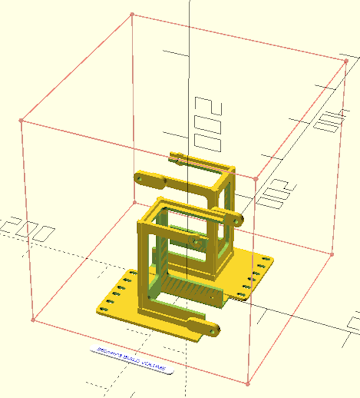
Related to the show ruler setting above, this setting will enable a cubic outline of the size of the given volume in millimeters. This serves as a guide for the 3D printer's build area, and is displayed when the ruler is enabled and subsequently is automatically disabled when rendering the cage, but unlike the ruler it is still displayed when the split cage into two halves option is enabled. Setting this to zero disables the build outline regardless of whether the ruler is enabled.

The outline assumes a truly cubic build volume and not a rectangular cuboid with differing axis lengths. Many printers have non-cubic build areas, with a Z axis that may be taller or shorter than the size of the "footprint" of the build plate. Plan accordingly when designing cages so that the cage's printed height does not exceed the printer's Z-axis print capability - to assist in managing this, the Z-axis height required for printing the cage is shown when show ruler is enabled.
 Back To Top
 Navigate Site
 Source Code
 Support This Project
 Community
 Legal Notices & Information
 Copyright/Trademarks